
How to sign out from Backup Application
You might notice that there is no log out button on the program. You may sign out by following these instructions:
- On your Backup Application, click on your username.
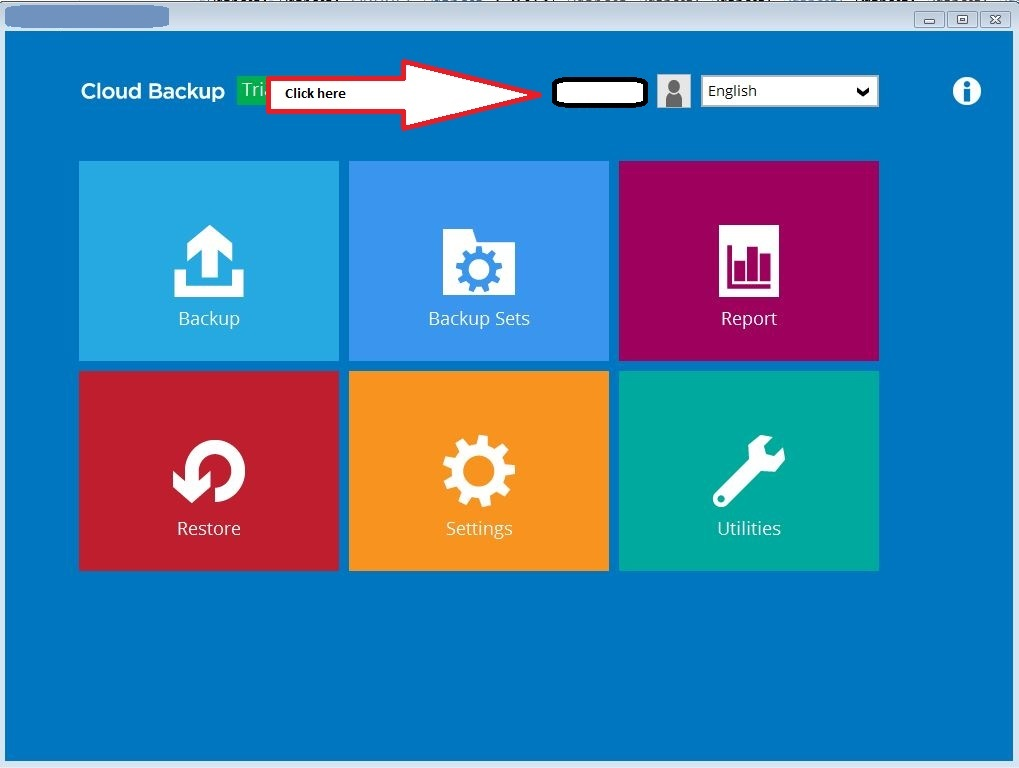
- It will open up with the Profile window.
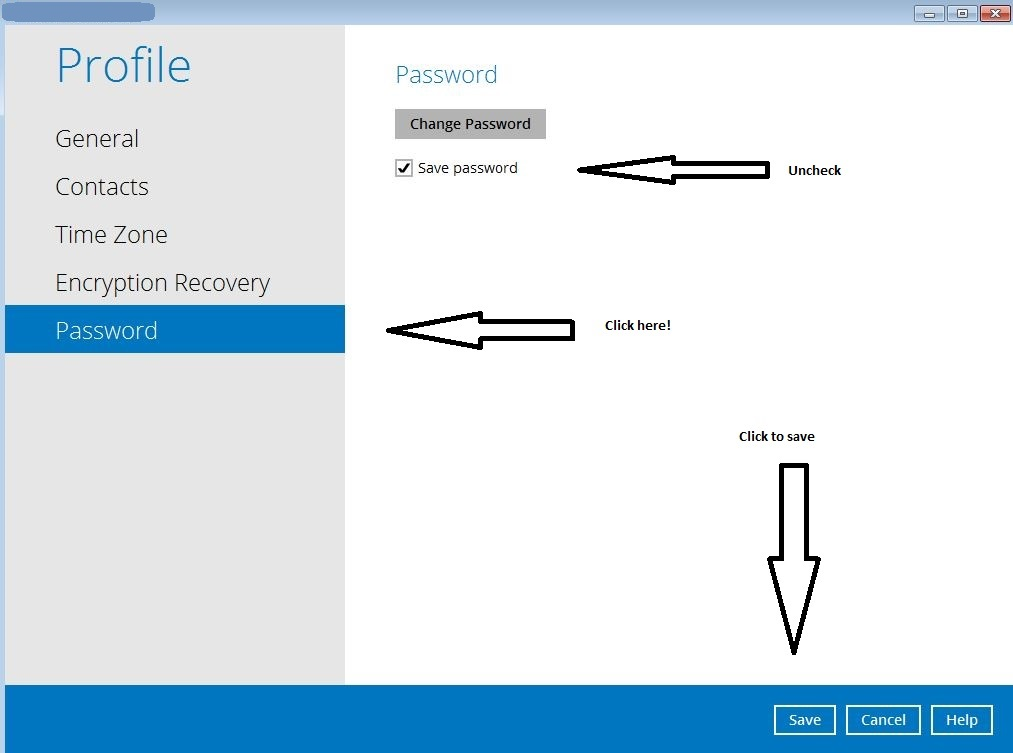
- Go to Password on the left menu, Uncheck Save Password, hit Save
- You may now close the Backup Unlimited program. When you log in the next time, it will ask for your credentials. From here, you may opt to use your existing account, or a different account.
Comments
Article is closed for comments.