
You can whitelist the IP list from the portal with the following steps:
1) Login into your portal account
2) Navigate to "Hosted Exchange" -> Organization -> Manage
3) You will see the list of organizations.
4) Click on Action -> Whitelists menu for required organization
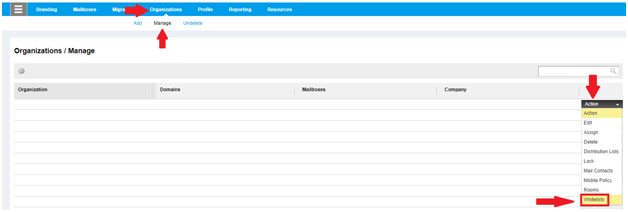
5) Add IP or domain which you want to whitelist as per your requirement in Allowed IPs and Allowed Email Addresses and Domains tab.

Comments
Article is closed for comments.