
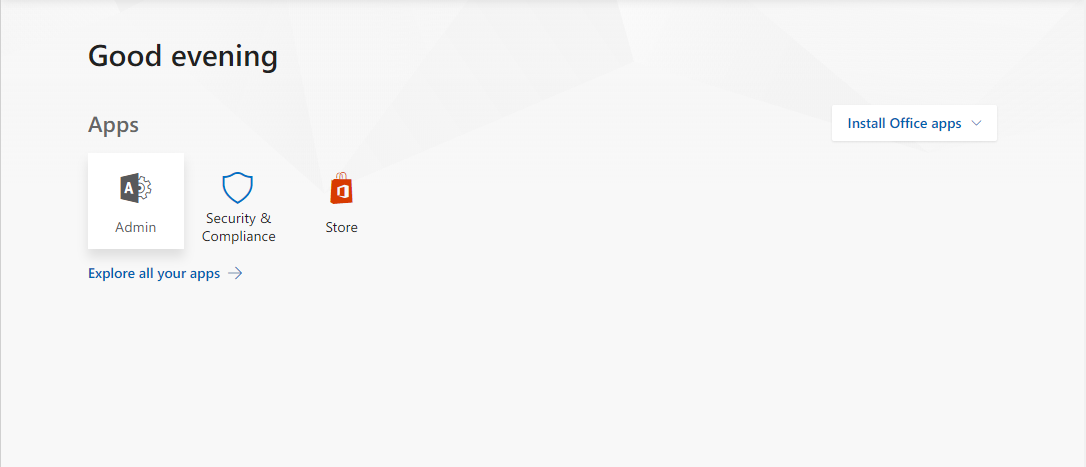
To configure DNS settings for the organization's domain login to Office 365 portal - https://portal.office.com/ - using admin credentials.
Click on Admin.
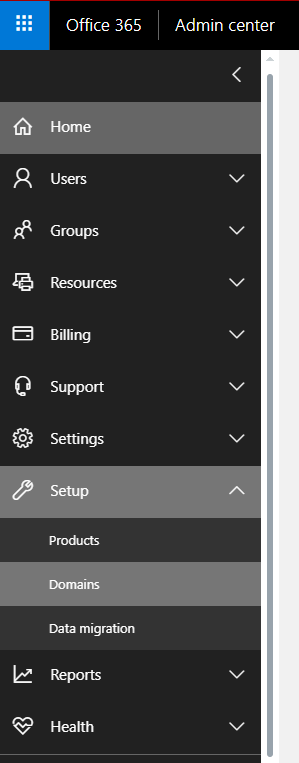
In the Admin portal click on the Setup and Domains.
Next click +Add domain.

Provide the domain for configuration and click Next.

For verification use TXT record and input it in domain DNS settings (after saving TXT record it may take from 5 to 10 minutes to propagate).
In the next step select, I'll manage my own DNS records and click Next.

Tick all of the boxes to configure DNS required for any Office 365 service:

In the next window Office 365 will provide you with all the records needed. Sample DNS list is provided below:
| Host name | Type | TTL | Value |
| example.com | MX | 3600 | example-com.mail.protection.outlook.com |
| selector1._domainkey.example.com | CNAME | 3600 | selector1-example-com._domainkey.tenantname.onmicrosoft.com |
| selector2._domainkey.example.com | CNAME | 3600 | selector2-example-com._domainkey.tenantname.onmicrosoft.com |
| enterpriseenrollment.example.com | CNAME | 3600 | enterpriseenrollment.manage.microsoft.com |
| enterpriseregistration.example.com | CNAME | 3600 | enterpriseregistration.windows.net |
| lyncdiscover.example.com | CNAME | 3600 | webdir.online.lync.com |
| sip.example.com | CNAME | 3600 | sipdir.online.lync.com |
| autodiscover.example.com | CNAME | 3600 | autodiscover.outlook.com |
| _sipfederationtls._tcp.example.com | SRV | 3600 | 100 1 5061 sipfed.online.lync.com |
| _sip._tls.example.com | SRV | 3600 | 100 1 443 sipdir.online.lync.com |
| example.com | TXT | 3600 | "v=spf1 a include:spf.protection.outlook.com -all" |
NOTE! First two CNAME records might not be allowed by some domain hosters. Those records are for DKIM configuration and help to prevent email spoofing. To activate DKIM for your domain you need to go to https://outlook.office365.com/ecp/?rfr=Admin_o365 navigate to protection -> dkim. Select your domain and click Enable in the DKIM section on the right-hand side as presented on the picture below:
After adding those value in domain configuration allow them to propagate and click Verify.
You can add multiple domains to one Office 365 tenant with the same steps.
Comments
Article is closed for comments.