
- Navigate to office.com
- Login with your Global Admin account.
- Go to Admin Center.

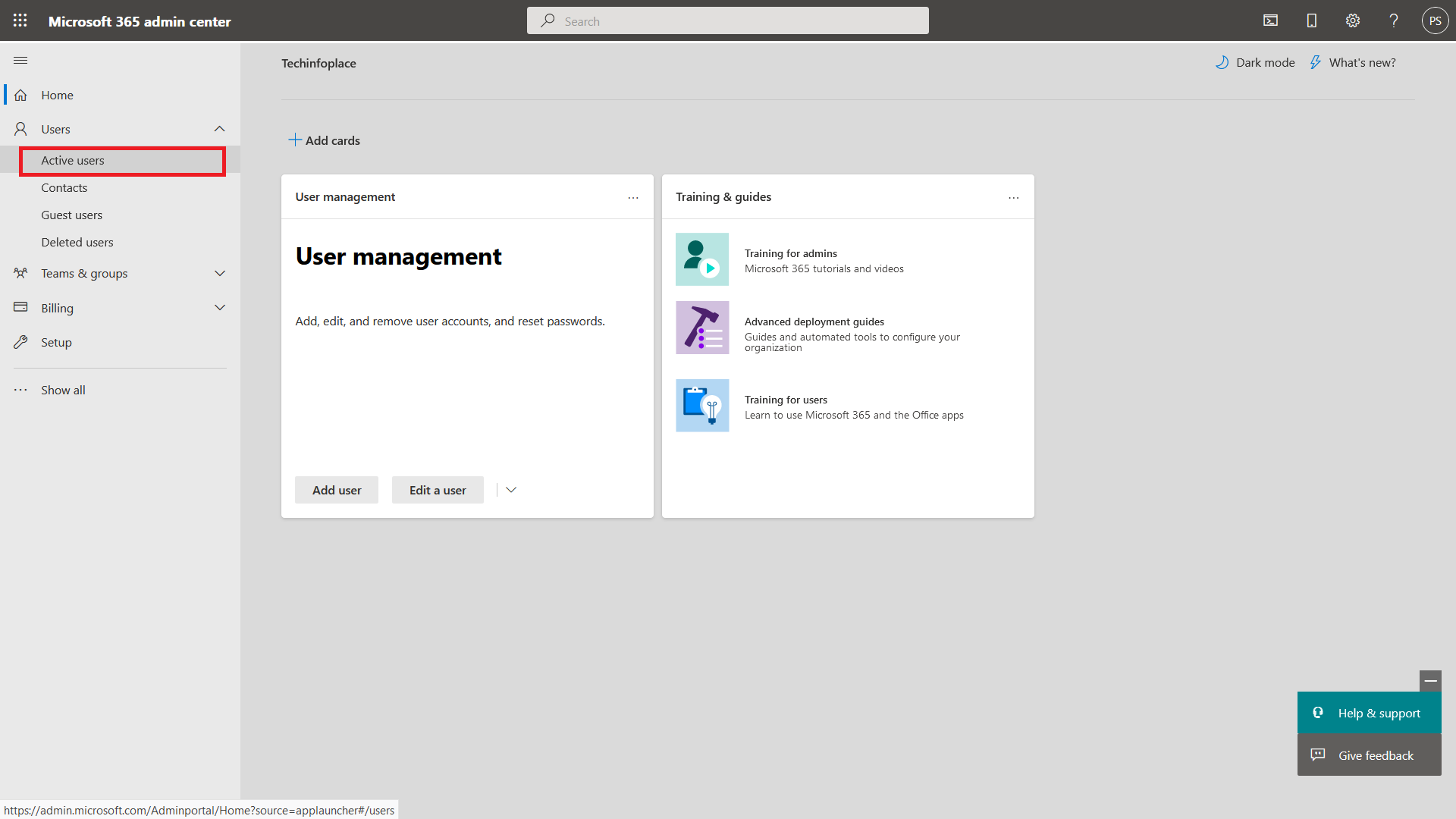
- Go to Activate Users.
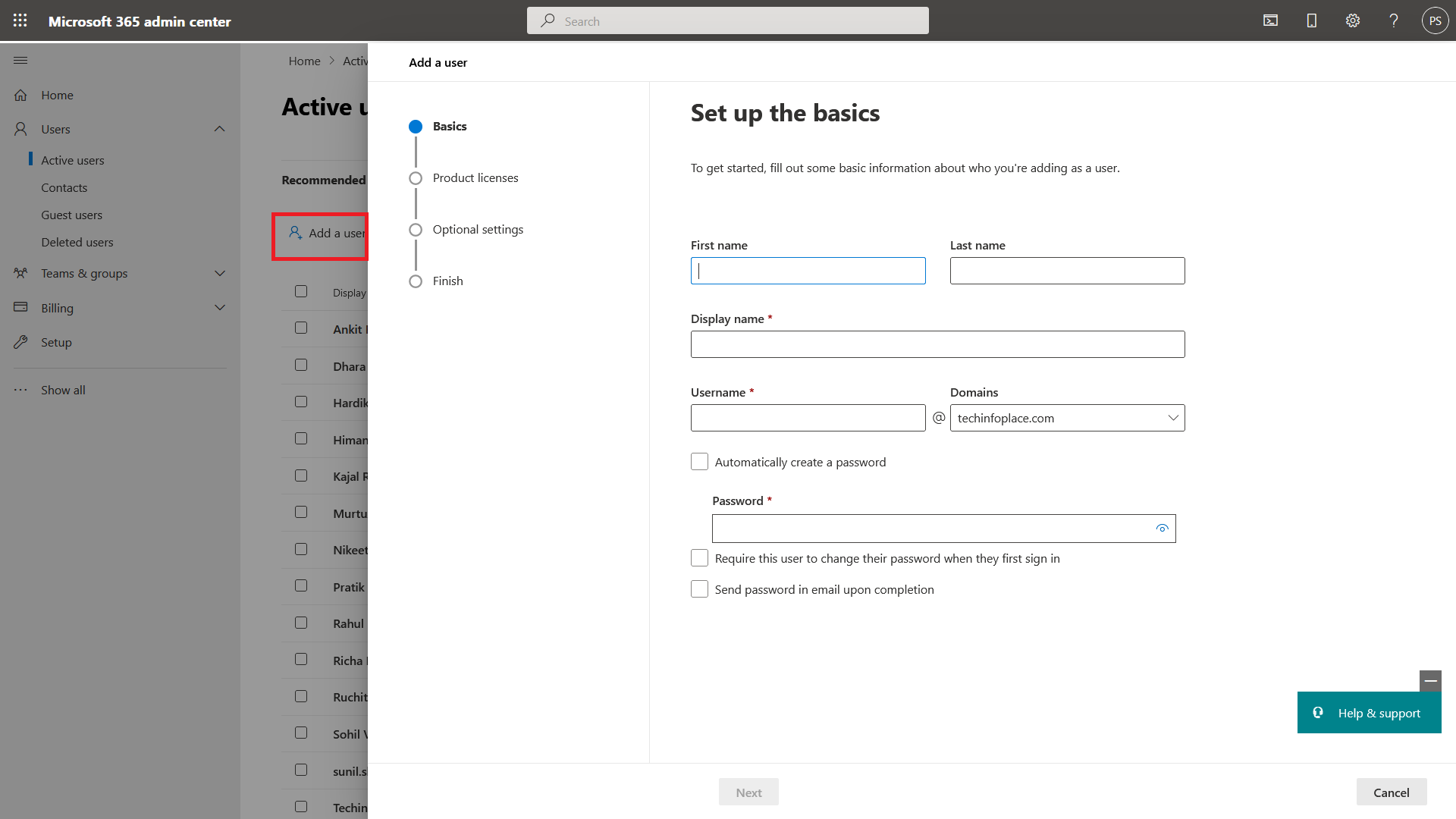
- Click on Add User and create user with admin@[yourdomain].onmicrosoft.com with Global Admin permission.

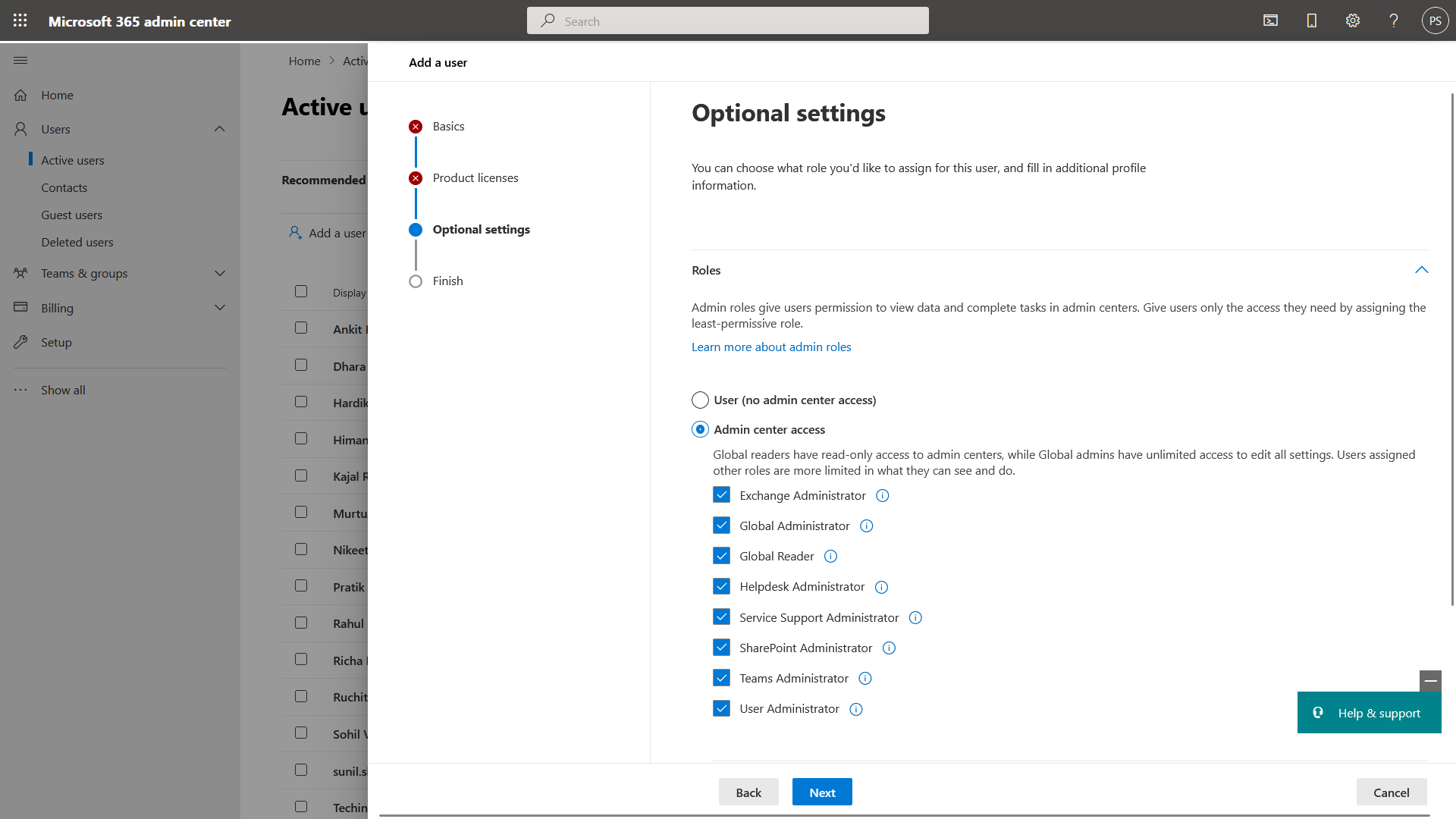
- Click Next and Save
- Provide us that newly created email address to us so we can update to our records for NCE Migration.
Comments
Article is closed for comments.