
To add alias in office365 log in to https://portal.office.com/adminportal/home - and login with your credentials.
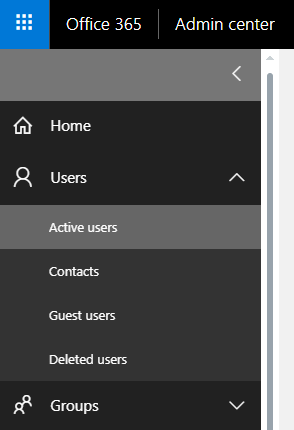
- In the Admin center, go to the Active userspage, or choose Users > Active users.
2.On the Active Userspage, select the name of the person you want to edit.
3. Username / Email Aliases row, choose Edit.
4. On the Edit email addressespage, in the text box under Alias, type the first part of the new email alias. If you added your own domain to Office 365, you can choose the domain for the new email alias by using the drop-down list. Then choose Add.
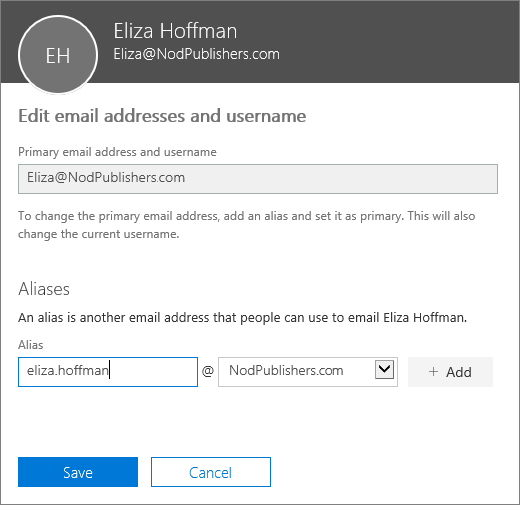
5. When you're done, choose Save.
6. Wait 24 hours for the new aliases to populate throughout Office 365.
Comments
Article is closed for comments.